
Best Practices for Building a Pinterest Reference Library You Will Reuse
Learn a few best practices that turn saved Pinterest content into a reference library you will actually revisit.


Open the options menu by clicking the three dots below the Pinterest image preview.
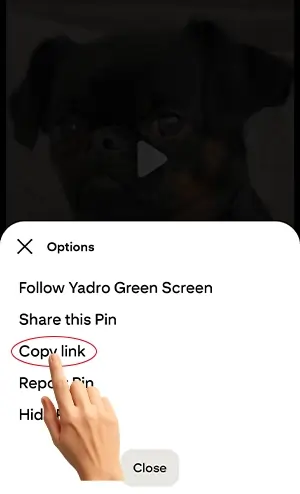
Select the “Copy link” option to copy the direct Pinterest image URL to your clipboard.

Return to our site, paste the copied link into the 'Paste your link here' field, and click Download.

The media files will appear below — just click to download them to your device.
Pinterest Downloader is a free, fast, and easy-to-use online tool that allows you to download high-quality images, videos, and GIFs from Pinterest with just a few clicks. Whether you're saving ideas for inspiration, collecting content for mood boards, or storing your favorite pins offline, our downloader is your go-to solution.
Pinterest doesn’t offer a built-in download feature for all content, but with our tool, you can bypass that limitation effortlessly. There's no need to install software or create an account – just copy the link from Pinterest, paste it into the field, and download the content instantly. It’s that simple.
Our tool works perfectly on both desktop and mobile devices, so you can download Pinterest videos or images anytime, anywhere. With a clean, user-friendly interface, Pinterest Downloader ensures a smooth experience and lets you access your favorite content whenever you need it. Whether it's fashion inspiration, recipe videos, home decor pins, or motivational quotes, you can now save them all easily.
That’s it! No login, no complications. Just copy, paste, and download.
No, you don’t need to register or sign in. The tool is completely free and doesn’t require any account.
Yes, it's 100% safe. We don’t store your data, and no personal information is needed. The tool only uses the public URL to fetch downloadable content.
Absolutely! You can download GIFs just like you would download an image or video – simply copy the pin URL and paste it into the field.
Yes! Pinterest Downloader is fully responsive and works on all modern smartphones, tablets, and desktops.
Downloading Pinterest videos on Mac OS is quick and easy. Just follow the steps below using your browser and our online Pinterest downloader tool:
Go to Pinterest and find the video you want to download.
Click on the video to open it in full view, then copy the URL from the address bar.
Paste the copied link into the input box on our Pinterest downloader website.
Click the Download button. The tool will fetch the video data.
Choose the available quality and click again to save the video.
After completing a download, the video is saved to the default download folder set by your browser. If you're unsure where it went, here’s how to locate it easily depending on your device:
 On Windows, press Ctrl + J in your browser to view your recent downloads.
 On Mac, use Cmd + Shift + J to open the download history in your browser.
 On mobile devices, check your Downloads folder or browser settings for saved files.
No, you can use the tool as many times as you need. There are no hidden restrictions or daily limits.
Learn a few best practices that turn saved Pinterest content into a reference library you will actually revisit.
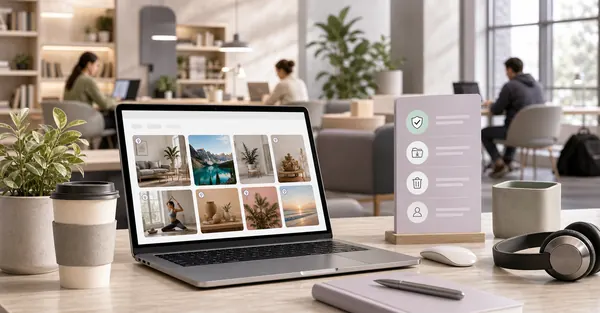
Learn how to keep Pinterest saving more private and more controlled when using shared or public devices.
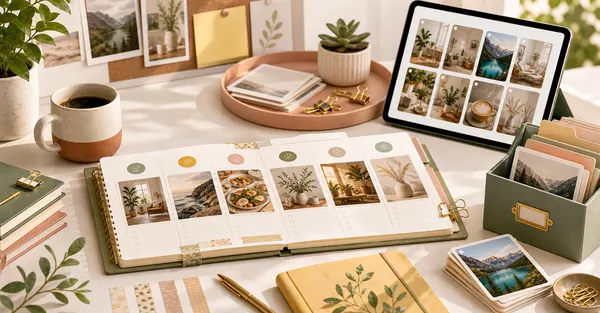
Learn a small weekly habit that keeps saved Pinterest content easier to sort, rename, and revisit later.

Learn what to check first when a Pinterest download feels slower than expected instead of assuming the tool is broken.
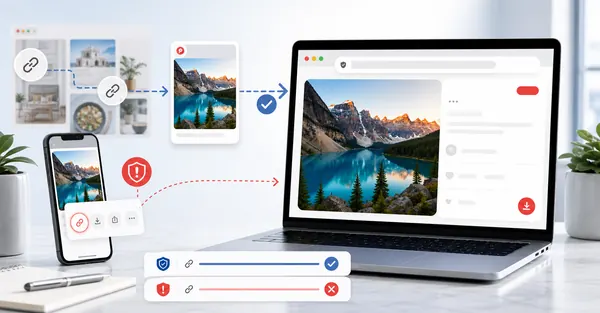
Learn a quick way to tell whether a Pinterest link is the exact pin link or just a more general page.